
You asked and we listened - introducing Eatove PRO's newest integration.
You can now seamlessly integrate into any EMR system through our new meal planning links made specifically for EMRs. The link sharing will function as an all in one stop for your clients to communicate with you, share documents, schedule appointments, create tasks, and share unique meal ideas.
Please follow these instructions to link an EatLove meal plan to your EMR and review our tutorial here:
- Choose the quick start meal plan from the EatLove PRO dashboard - ensure you have the parameters set to your liking. This includes allergies/avoidances, family size, and the nutrition parameters like calories, key micronutrients, and essential food groups like fruits and vegetables, and more. Click "Generate Meal Plan".
- Rename the plan for your client(s) according to what the plan is highlighting.
- Select the box next with an arrow pointing up, the white box underneath will appear once the arrow box is selected.
- Select copy in the white box and paste it into it into your EMR for your clients to access.
PRO TIP: If you'd like to add a personalized meal plan for a *specific client* please follow the steps above by clicking into their profile and select meal planning on the left-hand menu. Next, click into the meal plan customizer to generate the meal plan link.
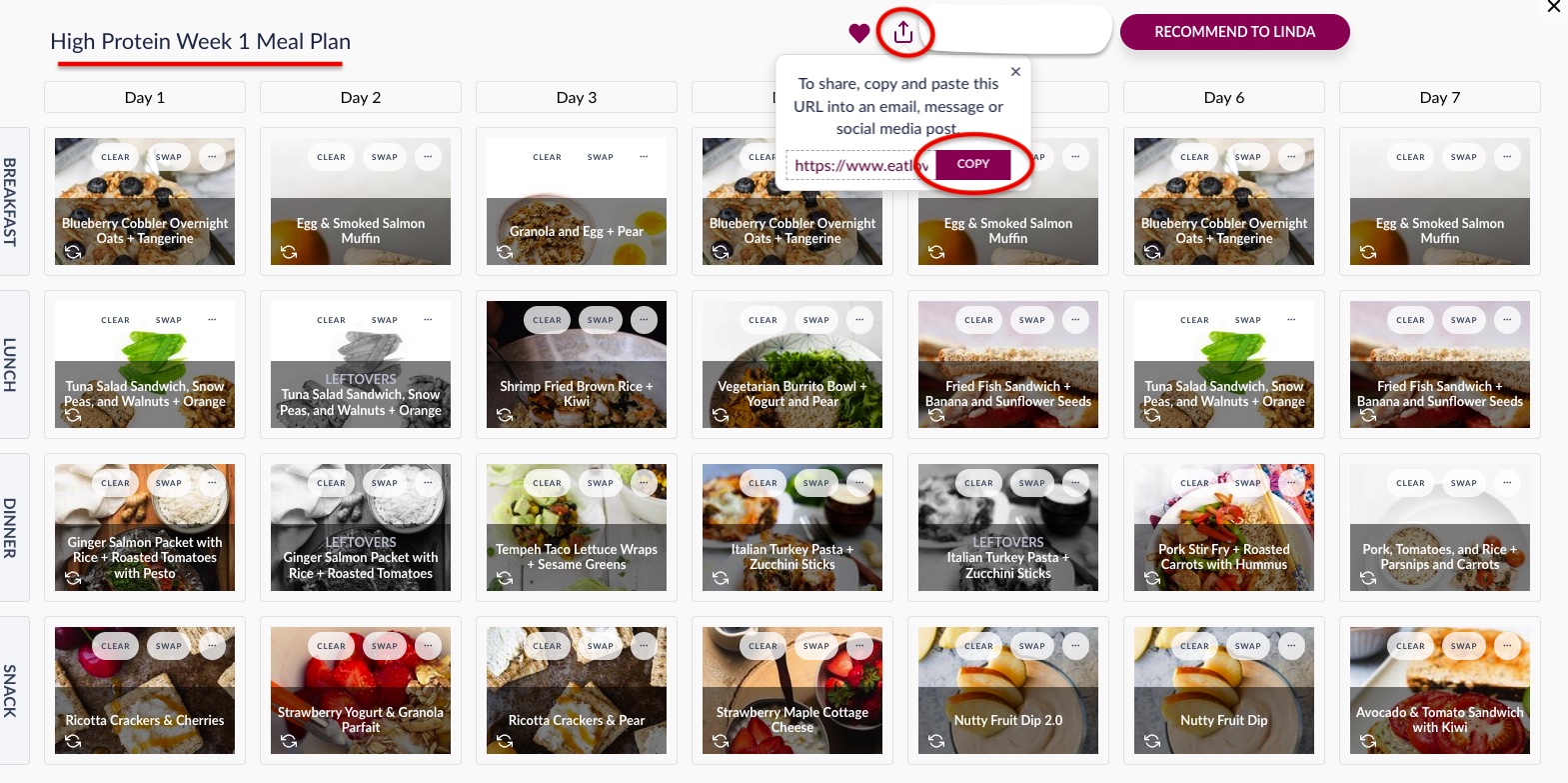
EatLove meal planning links can integrate into nearly any popular EMR system including through SMS, or email link (example: Kalix), patient portal or client app (example: Practice Better). The best part is the link will reroute them back to the EatLove app or web browser where they can still interact with their dynamic meal feed and plan for the week ahead. Add their groceries to their grocery cart and check out online.
All of EatLoves favorite features, but are now accessible through one seamless client experience. No need to switch to the EatLove app, it's all integrated right from your EMR.
Check out a few more of our favorite ways you can utilize link sharing within your EMR.
1. Launch a 3-Week Challenge
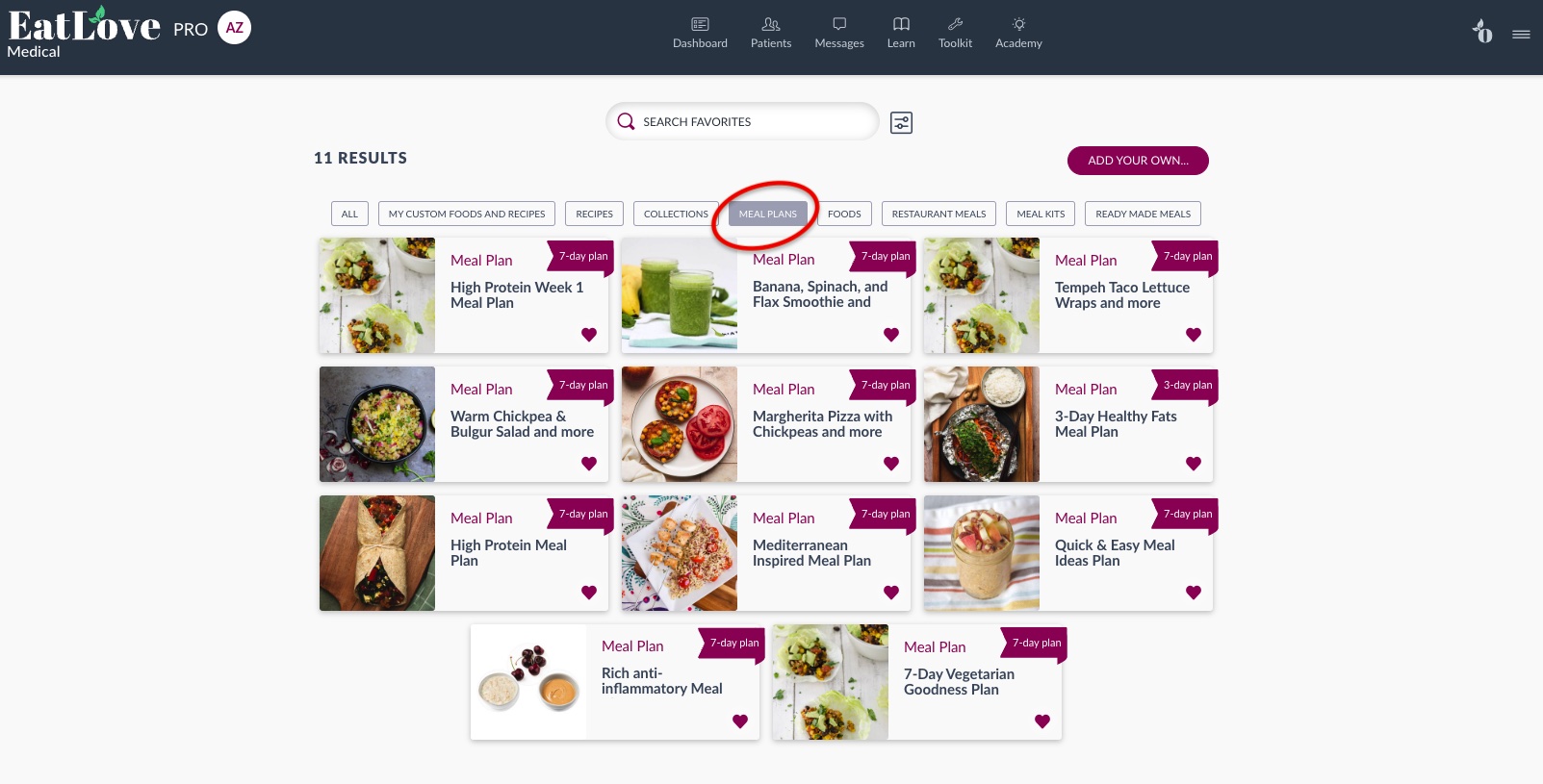
Whether you want to create a generic 3-week challenge or a personalized one for a group of clients, you can do either in seconds with EatLove. Make sure to niche down to a plan that your audience would resonate with. Some examples include anti-inflammatory or balancing blood sugar. Follow the steps above to capture your meal planning links and post into your EMR where clients will access.
Once you copy the link, your meal plans will be saved to favorites and easily accessible at any time under the Meal Plan tab to share again and again.
Next step would be to pair your 3-weeks of meal plans with your 3-week challenge content. Not sure where to get started, our premium members can now access the “Nourish into the New Year Challenge”. Email support@eatlove.is to gain access to the challenge content and share with your clients how you see fit. Challenges are a great way to upsell your clients into your higher ticketed programs by giving them a taste of what your meal plan recommendations can do for them. Check out this video for more information.
Please note, to access EatLove meal plans digitally, members will need an EatLove account.
If you are interested in ordering a custom PDF 3-week meal plan to share with members outside of EatLove, please email support@eatlove.is for more information.
2. Curate and Share Recipe Collections
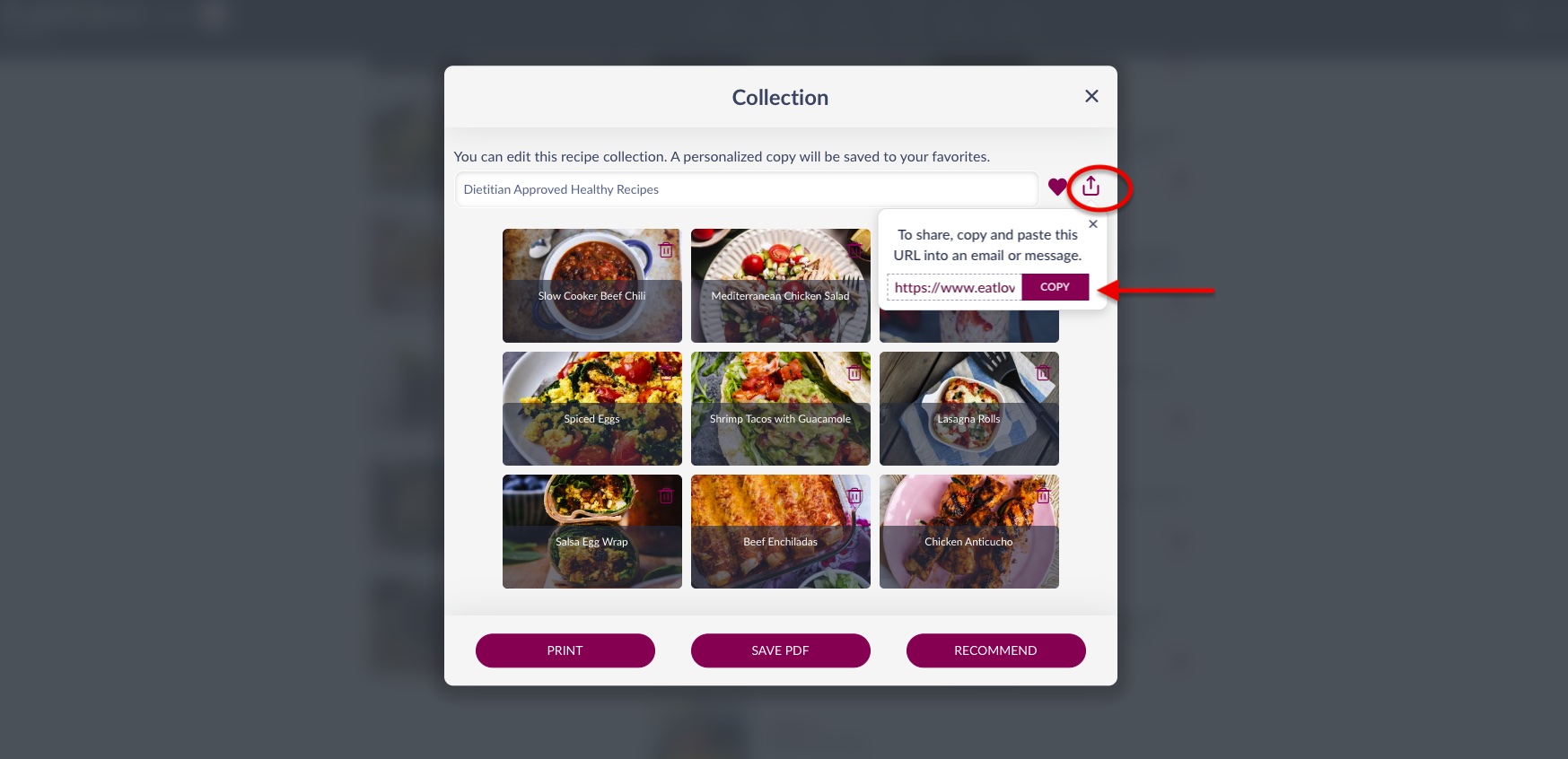
Ever wrap a call with a client and wish you could pull the exact recipes your clients need for success? Ideas like high protein breakfasts, or simple snacks, or bento-box lunches come to mind. Now, you can curate a full collection from our recipe database of nearly 8k recipes and integrate right into the client care section of your EMR. This works great for 1:1 clients but also for groups or membership programs, if you plan on creating a collection each month as part of your package.
For more information on how to create inspired recipe collections for your clients, check out this webinar.
3. Highlight a Feature Recipe of the Week
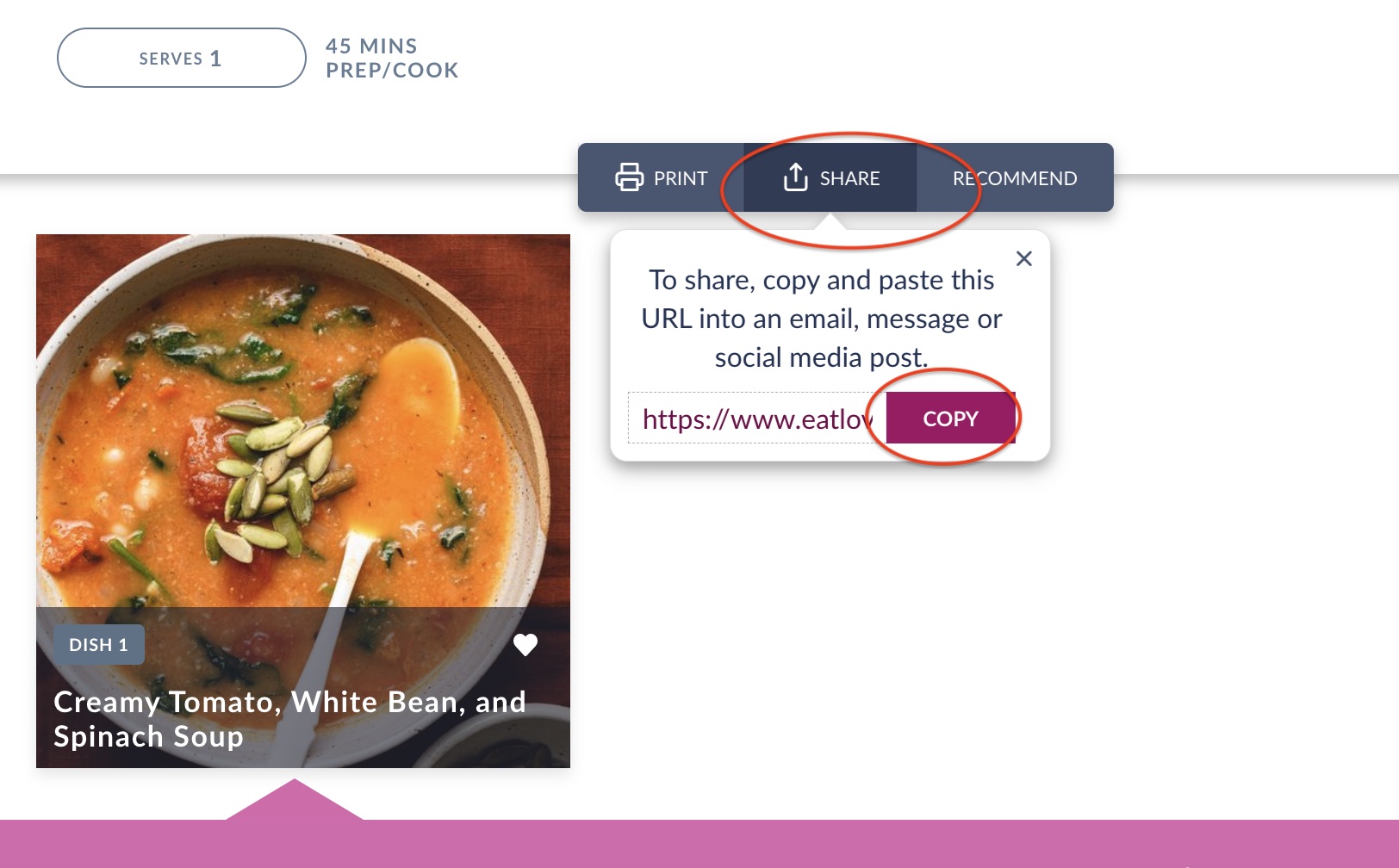
Want to shout out one specific recipe to encourage community and collaboration, highlighting a feature recipe is a great use of our link sharing capabilities.
Any recipe inside our database and those added by you all have a unique link associated with it and can be accessed by anyone with an EatLove account.
Navigate to meal search from the side navigation menu and click on the recipe you desire. Next, click on SHARE > then copy the link to add to your community forum, group messaging, or other announcement space you share with your clients.
4. Focus on In-Depth Nutrition Analysis
Next up, food logging! Simplify your clients onboarding by directing them to one task at a time like logging a 3-day food record in their daily log.
The benefit of linking their daily log to your EMR is that you get to use our comprehensive nutrition analysis reports to analyze the quality of their intake in 5 minutes or less. Use the results to create smart goals, or adjust your Nutrition Rx for more personalized nutrient targets.
Add eatlove.is/log anywhere in your EMR that you’d like to link them back to EatLove to track their intake.
Learn more about our nutrition analysis reports, here.
Are you ready to revolutionize your practice? Unlock the full potential of our new integrations with the above link sharing functionality. As always, please email support@eatlove.is for any additional questions.